Intelligent Sharpening Tool
Restore hidden detail and reduce blur so your videos look naturally sharp, without changing their original quality or introducing unwanted artifacts.
AI-powered video sharpening that enhances edges and restores crisp details — no artifacts, no over-processing. One click to professional results driven by our specialized models. Make soft footage look more defined and better suited for modern displays, content creation, and professional delivery.
Drag / Paste / Click


No editing skills required. Upload video, let our tools sharpen every frame, and download crisp results.
Drop your soft-focus or blurry clips directly into the dashboard. We support everything from standard MP4s to professional-grade MOVs.
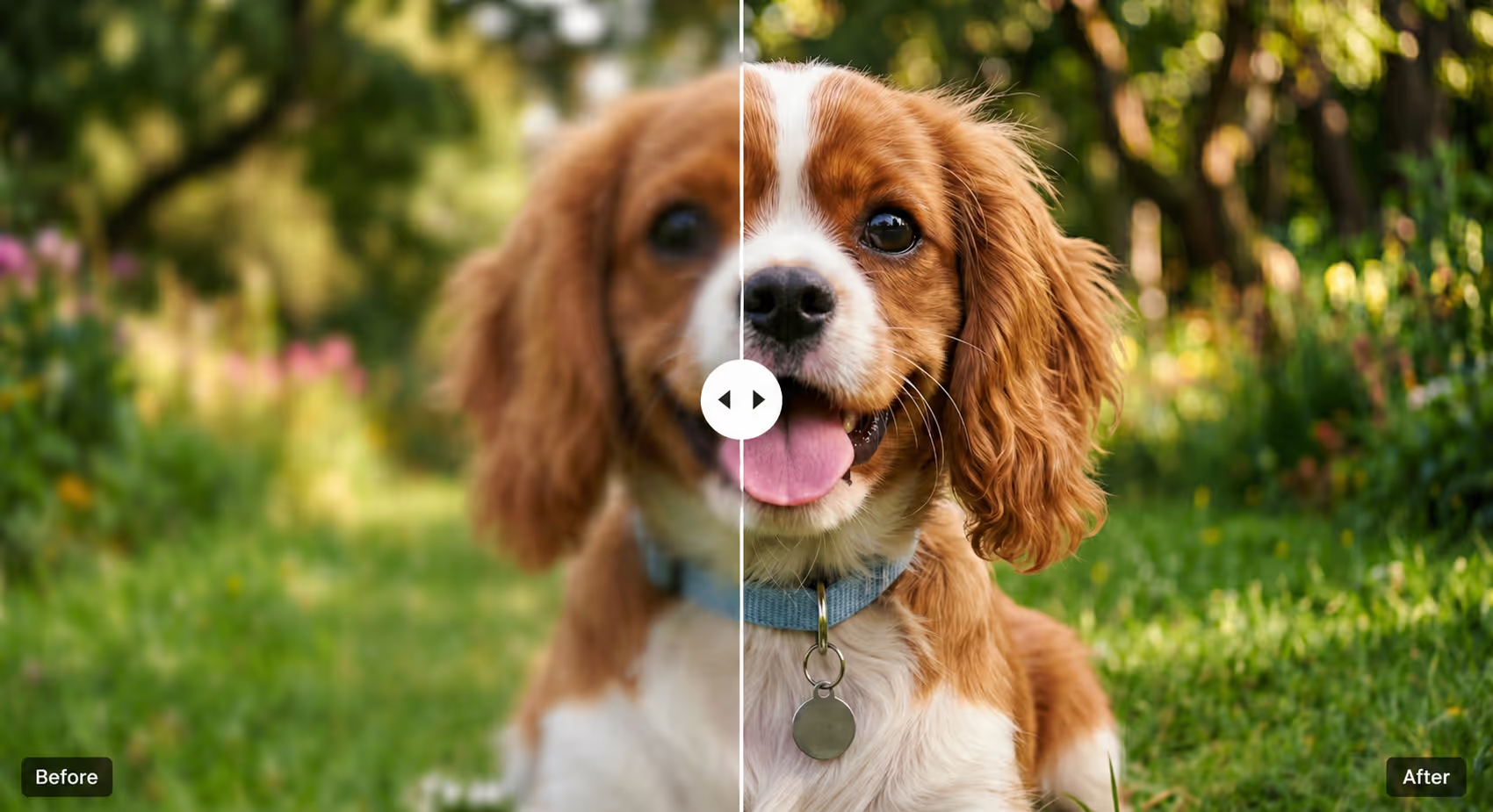
Choose the settings that fit your footage and intended use. Our tool then sharpens soft edges, brings out fine texture, and keeps digital noise from becoming a distraction.

Review the sharp textures and download your upgraded footage right away. Get top-tier visual results in just one quick click.
Achieve professional clarity and skip the harsh, artificial look. Our tools intelligently enhance edges and respect the organic feel of your footage.
Compression, social uploads, and repeated resizing can soften the outlines around faces, products, subtitles, and logos. Our tool strengthens the edge information that remains, so those shapes are easier to read from frame to frame. Careful contrast control helps keep bright halos and ringing from replacing one distracting artifact with another.
Close-ups lose their impact when skin, fabric, wood grain, or product surfaces look flat and smeared. The tool makes the fine texture already captured in the source easier to see without creating the waxy look of heavy processing. Materials look more tactile and recognizable on screen, while faces retain a natural finish.
A single global sharpening pass can make a subject clearer while turning smooth backgrounds, shadows, and compression noise into harsh distractions. Our model concentrates definition around the subject and other meaningful detail while keeping flatter areas smooth. The result is a more balanced frame with a clearer focal point and fewer signs of over-processing.
Make blurry videos clearer, keep details natural, and get consistent results without complicated steps or any heavy software, for everyday editing and quick fixes.


Restore hidden detail and reduce blur so your videos look naturally sharp, without changing their original quality or introducing unwanted artifacts.
Keep everything easy to see from text to faces to motion, by reducing noise and improving overall visual clarity frame by frame.
Edit and sharpen videos directly in your browser with no downloads, then upload, process, and export in minutes from anywhere.
Your files are processed only to create your result, stored privately in your account, and never used to train AI models. See our Privacy Policy for retention details.
Everything you need to know about AI video sharpening. Can't find the answer you're looking for? Reach out to our support team anytime for help.